RFDT Editor
Web-based visual interface for RF design and simulation
What is RFDT Editor?
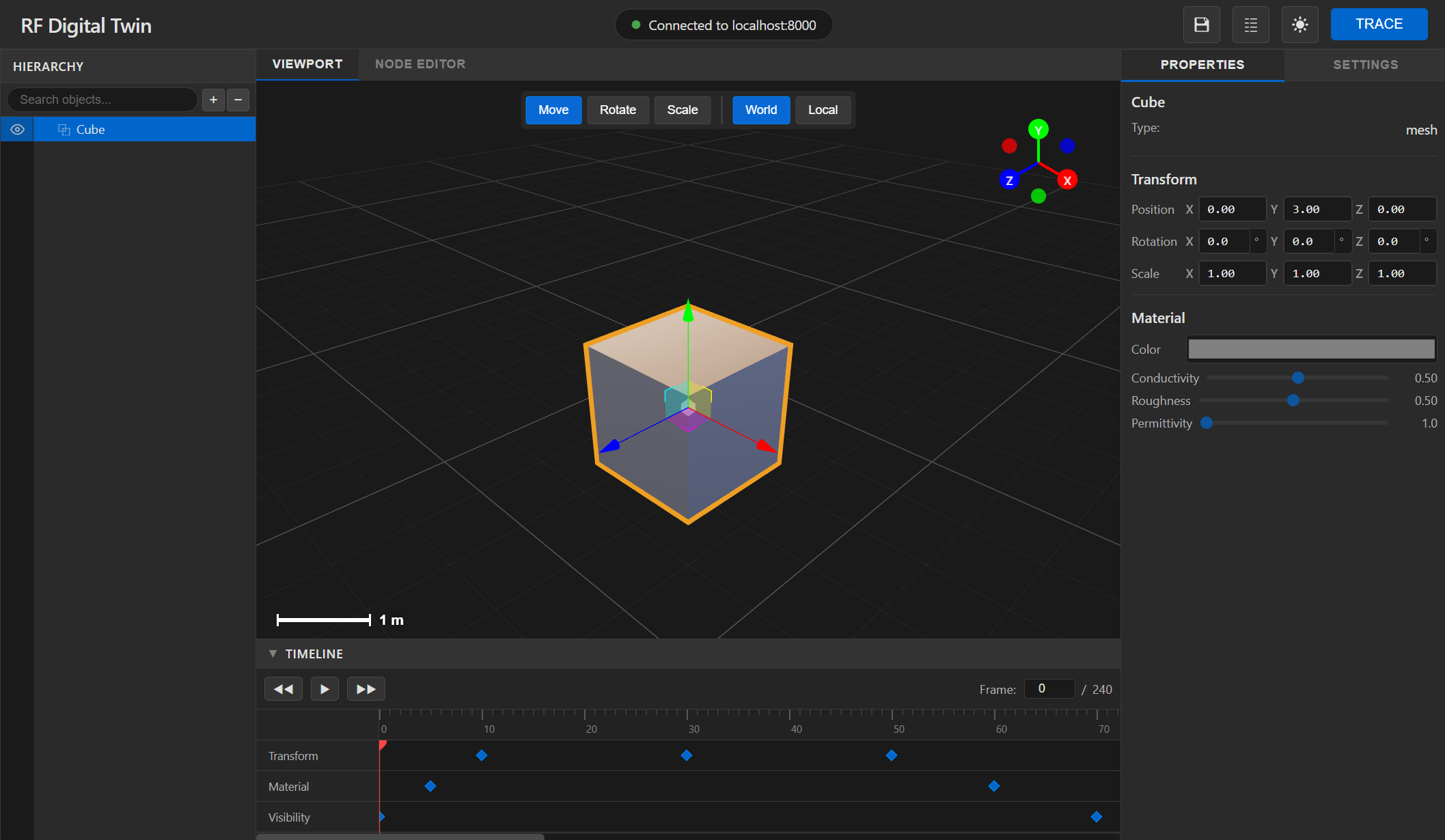
RFDT Editor is a web-based visual interface that requires connection to a local or remote server hosting PyRFDT. It provides intuitive scene creation, real-time visualization, and interactive simulation capabilities for RF system design and optimization.
Design Tools
- • 3D scene editor
- • Drag-and-drop interface
- • Material property editor
- • Antenna placement tools
Visualization
- • Real-time ray visualization
- • Heat map overlays
- • Signal strength maps
- • Interactive charts
Getting Started
Prerequisites
Ensure you have PyRFDT installed and running before launching the RFDT Editor.
Note: The RFDT Editor requires an active PyRFDT server connection for simulations
Connect to PyRFDT Server
Configure the connection to your PyRFDT server:
Server URL: http://localhost:8080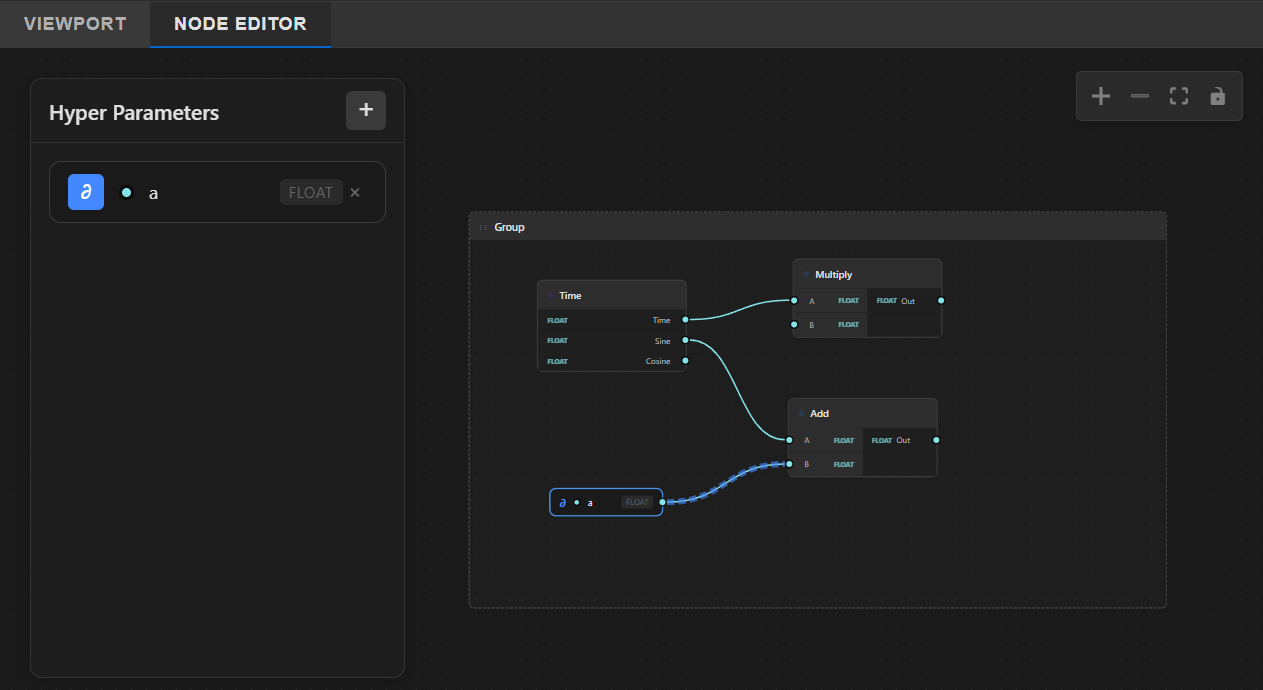
Panels
SceneView
3D viewport for visualizing and interacting with RF scenes and simulation results
Hierarchy
Tree view of all objects, antennas, and components in the current scene
Properties
Detailed property editor for selected objects, materials, and simulation parameters
Settings
Global simulation settings, rendering options, and performance configurations
Timeline
Time-based simulation control for dynamic scenarios and animated results
Node Editor
Visual node-based workflow editor for complex simulation pipelines